My Setup
Welcome
This is my new personal site to host my random thoughts throughout my coding journey as well as host the projects I have and am working on. I thought a fitting first post would be to discuss my setup and why I made the decisions I did. Let’s start with my OS
Linux
Yes, I use Linux (Arch btw). I’ve been a Windows user ever since my dad brought home my first computer: and old Dell optiplex running Windows XP. Even before that, the family computer was running Windows 98. For the most part, Windows was just fine. There was a point where I dabbled in Linux for a bit, but I’ve always been a Windows user. Over the years, little annoyances did build up. Dealing with XP service pack updates was a headache, Windows loved changing whatever audio settings I had saved to the defaults, file search has always been a terrible experience for me…but those I could put up with. The real annoyances started with Windows 8 going into 10. I hated the start menu. Searching for a recently installed application would frequently turn up nothing and instead offer to search the internet for said app (THROUGH BING IN THE EDGE BROWSER!!). Pre-installed applications, ads, and news feeds were shoved in my face whenever I brought up the start menu. The control panel changes were confusing and made finding certain settings difficult. And then there were the updates. Windows started forcing updates even if I kept hitting the “later” option. There were so many times when I was in the middle of doing something on my PC or I left something running overnight only to find my PC rebooted because an update had been installed.
This was the point when using Windows went from tolerable to annoying. But, I still put up with it because Windows was still the only real option if I wanted to play video games.
That’s when Gaben rode in and delivered Proton! I think it’s fair to say if Valve never released the Steam Deck, Linux wouldn’t be where it is today. Wine is an amazing compatibility layer, but there were still a good number of Windows applications and games it either couldn’t run or didn’t run well. Proton built on that and not only made it better, but the release of the Steam Deck meant there was now a reason for developers to make sure their game worked on Linux.
However, I still did not switch at this point. I still trudged through Windows 10 until I was forced to update to the dreaded Windows 11. I tried it for an hour, found out that it removed my 7zip shortcut from the right-click menu, and that’s when I switched to Linux. That was the “straw that broke the camel’s back”.
Why Arch?
When I was done with Windows and looked into what flavor of Linux I wanted to use, I was a little stuck. I don’t like Red Hat as an organization, so Fedora was off the table. I also wanted to avoid anything Debian based so distros like Mint or Ubuntu were also out. That pretty much just left me with Arch (unless I wanted to use something more obscure like Gentoo or OpenSUSE).
I leaned more towards Arch initially since:
- There’s no single owner or corporation behind it. I didn’t want to move from one corporate OS to another
- It’s pretty universal. If there is a piece of code or program that was built for Linux, it will run on Arch
I wanted a system that could run whatever I needed with as little workarounds as possible. I didn’t want to have to go through adding in a bunch of 3rd party repositories to install a few programs. I wanted a tiling window manager, an environment to easily learn and program Python in, and run whatever games or Windows-based applications I needed. I don’t think Arch is the ultimate best system out there (though I lean into the joke), it’s just the best option for what I wanted.
Luckily, gone are the days when you have to install Arch manually. There are now many distros based on Arch and there’s even an install script for Arch. I settled on CachyOS. It was the new kid on the block, boasted easy setup for gaming, and even claimed improved performance. However, CachyOS runs their own set of repos (to be ’totally optimized’). This essentially forced me to use CachyOS’ versions of some programs and drivers which eventually caused conflicts with some things I installed myself. After a few months, I grew frustrated and switched…
To Nyarch. For no real reason other than it was funny. It’s a small, meme-type distro that comes packaged with Gnome and a bunch of other applications. I gutted it and installed my own environment on it and used Nyarch for a little over a year.
Now I’m finally running base Arch.
My Environment
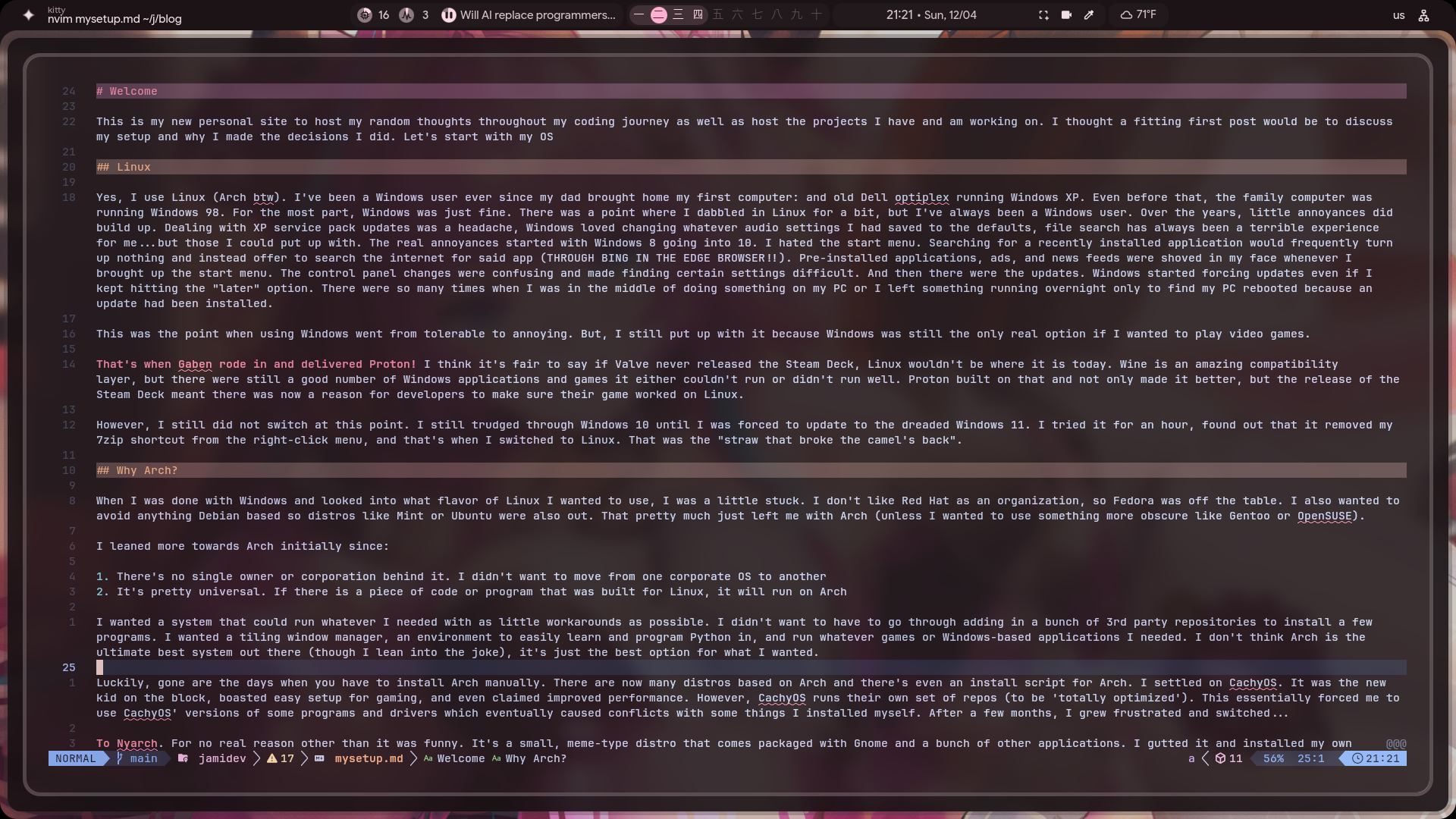
Now that I’ve covered why I use Linux and went with Arch, let’s get into what I’m really excited about. The big reason I switched over to Linux: tiling window managers.
Yes, tiling options exist for Windows and even Mac. There’s even ways to do it on other Linux desktop environments like KDE and Gnome, but I wanted something native and went with Hyprland. To give some background, It got REALLY into Startcraft in my late teens, early 20s. I watched all the major tournaments. I followed my favorite players on Twitch (sadly saw Gumiho, my favorite Terran player retire). I even went to a local Red Bull tournament and got to take a quick picture with Sean (Day9) Plott as he was running off stage to use the bathroom. I also got really into playing it. Granted, I was never great, but I loved optimizing my keybinds and setting up the best macros so I could spend less time learning the game and more time losing. But, this is a concept I really wanted to bring into my PC usage.
The mouse is easy, but inefficient. Every time my hand leaves my keyboard to move to my mouse, that just uses more motion and more time that I could instead be spending using my keyboard which my hands are already at. A tiling window manager allows me to bind workspaces to keys, I can move from window to window with different binds, open applications, and move windows around. Even scripts can be setup to run with different keybinds. I don’t have to spend time resizing windows, moving them around with my mouse, or alt-tabbing through a bunch of different windows to find out where I need to go.
Tiling window managers removes all that busy work for me. Applications automatically take up the entire screen and resize to fit around any other applications I might open on that workspace (though I rarely have more than two at a time). Plus, my workspace setup always remains the same so I always know where my most used applications are. Workspace 1 (on my second monitor) always has YouTube and/or Discord open. On my main monitor, workspace 2 is my terminal, 3 is my browser, 4 is either another terminal or some application I sometimes use like GIMP or Blender, and 5 is always for Steam/Lutris/Bottles for running any games or Windows apps. That’s it. That’s all I need. It keeps my environment simple and efficient.
This is why I also use NeoVim and now Tmux. NeoVim allows me to easily edit code without ever needing to reach for my mouse. And Tmux makes it easy to set up different environments so I can easily switch to another project or have some code run in the background without having to open up more terminal windows or use tabs within my terminal.
Ultimately, my setup is tailored for how I want to use my PC and how I want to work. I am pretty lazy by nature so I want to use as little effort as possible whenever I’m at my PC. Eventually, I’ll also master the keyboard shortcuts for my browser and Discord. Then, perhaps, I’ll take the next logical step and invest in one those sci-fi looking split keyboards or learn Dvorak. Who knows…